
Get Your Quote for Video Analytics Configuration
Fill the form below to inquire about Electrical Services Ontario's Video Analytics Configuration in Springwater.
Call Electrical Services Ontario at (289) 672-2825 for Video Analytics Configuration in Springwater and get told what to look at.
Fill the form below to inquire about Electrical Services Ontario's Video Analytics Configuration in Springwater.
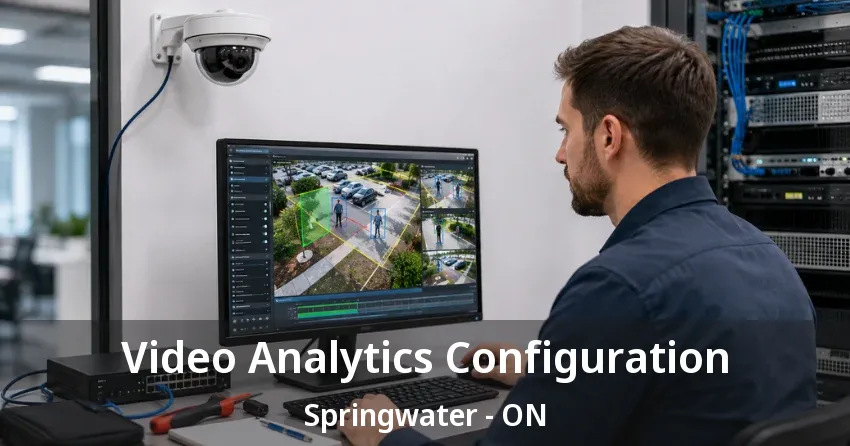
Most business owners have already tried adjusting their camera settings themselves. The alerts still fire on shadows and passing cars. Video Analytics Configuration Springwater finds the real cause and tunes the system properly the first time.
A camera system with analytics turned on but never properly configured behaves worse than no analytics at all, since it buries real alerts under a flood of false ones. Our technicians treat configuration as its own skilled discipline for Springwater, not a checkbox flipped during installation. For businesses in the area, that distinction is the difference between a system staff actually trust and one they learn to ignore.
Plenty of business owners near Springwater assume the analytics simply need time to "settle in" after installation, when in reality a system left on default settings never improves on its own. It requires someone who understands both the software and the specific property to actually tune it, which is a different skill set entirely from mounting cameras and running cable.
Configuring analytics correctly requires understanding both the camera hardware and the specific site it protects across Springwater, since the same detection zone that works perfectly on one property generates constant false alerts on another. A technician needs to know how lighting changes throughout the day affect motion sensitivity, how camera angle influences object classification accuracy, and how network bandwidth limits which analytics features a given camera can realistically run without lag.
Certification on a specific video management platform matters here, since analytics settings are not universal across manufacturers. Platform-specific certification means a technician has actually been trained on the exact software controlling detection zones for sites around Springwater, not just familiar with cameras generally. That distinction shows up directly in how many false alerts a system generates in its first month of live use, and it is often the gap between an installer who mounts hardware and a technician who genuinely configures it.
A Video Analytics Configuration Springwater visit starts with reviewing what the analytics are actually meant to catch, since a warehouse loading dock and a retail entrance need entirely different detection logic even if both run on the same camera brand. Loitering detection, line-crossing alerts, and object classification all get set up differently depending on the specific risk a business is trying to catch.
Technicians walk the property in Springwater to identify what triggers false alerts on the existing hardware: tree branches near a camera, reflective surfaces that create glare, or foot traffic patterns that look like loitering but are not. Detection zones and sensitivity thresholds get adjusted based on that walkthrough rather than left on factory defaults, which is the single biggest reason most out-of-the-box analytics systems underperform. A thorough visit typically takes longer than the camera installation itself, since tuning requires actually watching how the system responds to real conditions rather than adjusting settings blind.
Every camera ships with analytics tuned to a generic environment that assumes even lighting, minimal background movement, and a fixed field of view with nothing unpredictable in frame. Almost no real commercial property near Springwater matches that assumption, which is why a system left on factory defaults tends to either miss real events or drown staff in nuisance notifications within the first week.
Businesses that report their analytics as "not working" almost always have a Video Analytics Configuration Springwater problem rather than a hardware problem. The cameras themselves are usually capable of accurate detection. What is missing is the site-specific tuning that separates a real intrusion from a delivery truck idling near a loading dock. A brand-new camera and a five-year-old one perform almost identically once properly configured, since the analytics engine itself has more to do with the software settings than the age of the sensor.
People counting tracks foot traffic through an entrance and needs a properly calibrated counting line placed where crossing patterns are consistent near Springwater, not near a doorway where people cluster or pass each other. Loitering detection flags anyone who stays inside a defined zone longer than a set time threshold, which needs tuning specific to the location: a five-minute threshold that works for a parking lot would flag every customer browsing a retail aisle.
License plate recognition requires camera placement and resolution matched specifically to the task, since a camera positioned for general lot coverage near Springwater rarely captures plates clearly enough for the software to read reliably. Heat mapping and area-of-interest tracking both depend on defining zones that reflect how the physical space actually gets used, not a generic grid overlaid on the image.
A detection zone drawn too close to a camera's edge catches motion from outside the area that actually matters near Springwater, generating alerts for activity a business does not care about. Placing zones with enough margin from doorways, walkways, and public sidewalks keeps alerts focused on the space that genuinely needs monitoring.
Overlapping zones from adjacent cameras can also double-count the same event or create conflicting classifications, so zone placement in Springwater gets planned with the full camera layout in mind rather than one camera at a time. A site with eight or ten cameras covering overlapping angles needs a coordinated zone map, not eight separate configuration decisions made in isolation. Getting this wrong early means revisiting every camera later instead of getting the layout right the first time.
Sensitivity set too high catches every leaf and shadow near Springwater. Set too low, it misses genuine movement during low-light hours entirely. The right threshold usually takes more than one adjustment pass, since conditions during a daytime walkthrough do not match what the camera sees at two in the morning.
Technicians typically return within the first month to review actual alert history and fine-tune thresholds based on real data rather than a single site visit's assumptions. This follow-up pass is often what separates a system that still generates nuisance alerts from one that has genuinely settled into accurate detection, and it is a step many providers skip once the initial invoice is paid.
Properly configured analytics can route specific alert types to specific people in Springwater, so a loitering alert reaches a manager while a line-crossing alert during business hours gets filtered out entirely since staff and customers cross that line constantly. Getting this routing right prevents alert fatigue, which is the single biggest reason businesses stop paying attention to a system they paid good money to install.
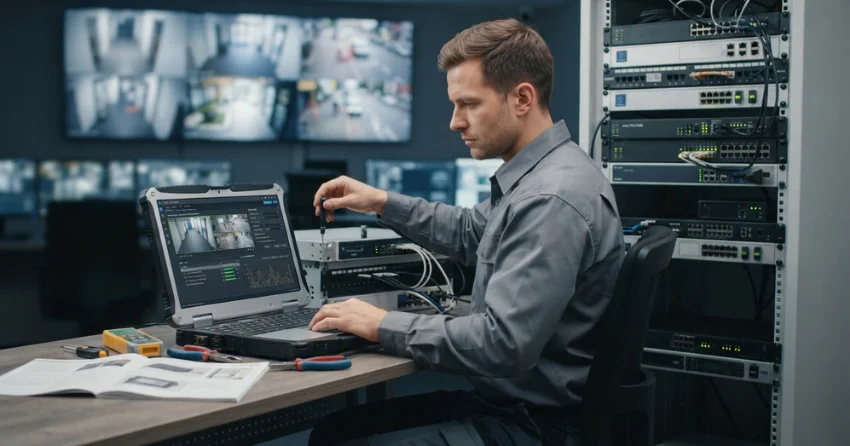
Push notifications, email alerts, and integration with an existing monitoring service throughout Springwater all depend on the analytics platform actually classifying events correctly first. A poorly configured system that sends every alert to the same inbox trains staff to ignore notifications altogether, which defeats the purpose of having analytics in the first place. Getting the routing right the first time saves the awkward second conversation about why nobody responded to a real alert buried among dozens of irrelevant ones.
A retail environment in Springwater needs analytics tuned for customer counting, dwell time near displays, and theft-pattern recognition near high-value merchandise, which is a fundamentally different configuration than a warehouse tracking forklift zones and dock activity. Office buildings typically prioritize after-hours occupancy detection and tailgating alerts at access points over the customer-behavior analytics a retail store depends on.
Properties throughout Springwater generally prioritize dwell time near high-value displays and theft-pattern recognition, since those are the analytics that translate directly into loss prevention. People-counting data also feeds into staffing decisions, which gives retail configurations a business-intelligence angle that a warehouse setup on the same platform rarely needs at all.
Warehouses lean on forklift zone tracking and dock activity monitoring instead, since the operational risk there is collision and unauthorized dock access rather than shoplifting. Office buildings usually prioritize after-hours occupancy and tailgating detection at access points, since the main concern is unauthorized entry outside business hours rather than customer behavior.
Configuring the same analytics package identically across different business types produces a system that technically runs but never actually serves the specific risk each property faces. Understanding what a given business in Springwater needs to catch, not just what the software can technically detect, shapes every configuration decision our technicians make. A single template applied everywhere is exactly how businesses end up with alerts that never match their actual operations.
A properly finished Video Analytics Configuration Springwater gets tested against real scenarios before a technician calls the job finished. That means walking through a detection zone at different times of day, checking classification accuracy on people versus vehicles, and confirming alerts reach the right person within an expected timeframe. Skipping this verification step is how businesses end up discovering configuration gaps during an actual incident instead of during setup.
Sites across Springwater that request a documented test log get a clear record of what was verified and when. That record becomes useful both for internal confidence in the system and for any insurance or compliance requirement that asks for proof the security system functions as claimed. A verification log turns "we think it works" into something a business can actually point to.
A Video Analytics Configuration Springwater that works well in summer can generate different false-alert patterns once winter changes lighting angles, adds falling leaves or snow to the frame, and shifts foot traffic timing with earlier darkness. Seasonal review keeps a system performing consistently instead of degrading quietly until someone notices missed events months later, often only after reviewing footage from an incident that should have triggered an alert.
Businesses that add new equipment, rearrange a floor plan, or change operating hours near Springwater also need a configuration review, since none of those changes automatically update what the analytics were originally tuned to expect. A quick adjustment after a layout change costs far less than discovering a blind spot during a real incident, and it usually takes a fraction of the time the original configuration required.
Leaving detection zones set to cover an entire camera frame is one of the most common mistakes we find during a Video Analytics Configuration Springwater review. A zone that broad catches everything from a delivery van to a stray cat and treats both with the same urgency. Narrowing the zone to the specific area of actual concern, whether that is a doorway, a cash drawer, or a fence gap, cuts false alerts dramatically without losing any real coverage.
Another frequent issue is running every available analytics feature at once regardless of whether the business actually needs it. A retail store running vehicle classification on an interior camera, or a warehouse running loitering detection on a break room, generates noise from a feature that has no relevance to that specific camera's job. Configuring only the features each camera genuinely needs in Springwater keeps the system focused and easier for staff to trust.
Video Analytics Configuration Springwater typically runs between $75 and $200 per camera for initial setup and tuning, depending on the number of analytics features enabled and how many follow-up visits the site needs to reach stable performance. A simple people-counting setup on a handful of cameras sits toward the lower end, while a multi-feature configuration across a large camera network with loitering, line-crossing, and classification enabled sits higher.
Ongoing seasonal tuning for sites throughout Springwater is usually billed separately from the initial configuration, and businesses that request it upfront as part of a maintenance plan typically pay less overall than those calling for one-off adjustment visits. Call (289) 672-2825 or contact us to get a quote based on your camera count and the analytics features your site actually needs.
Electrical Services Ontario is fully licensed and insured, and every Video Analytics Configuration Springwater project is backed by a satisfaction guarantee covering alert accuracy within the first 30 days of live use. With 15 years of experience configuring commercial security systems, our technicians know how to translate what a business actually needs to catch into settings that reliably deliver it.
We never leave a system on factory defaults and call the job done. That thoroughness is why property managers across Springwater call Electrical Services Ontario back for every new camera addition instead of hoping the installer sets it up correctly the first time on their own. Every job includes a documented explanation of what was configured and why, so a client is never left guessing what their system is actually set up to catch.
A system generating constant false alerts near Springwater is often just one proper configuration visit away from becoming genuinely useful, without replacing a single camera. Staff who have learned to ignore notifications will start paying attention again once alerts actually mean something, and that shift alone often justifies the cost of getting the configuration done right the first time.
Call (289) 672-2825 or contact us and our team serving Springwater will review your current analytics setup and identify exactly what is generating noise instead of real detection, whether your cameras were installed by Electrical Services Ontario or someone else. A quick assessment usually reveals within the first visit whether the fix is a simple threshold adjustment or a more involved zone redesign across the whole property.
Every service call starts with a unique situation. Here are the common issues customers contact us about and how our team handles them.

Tell us what is happening — no power, a breaker that will not reset, or a planned upgrade. We talk it through and book a time that works for you, including same-day for urgent calls.
A licensed electrician looks at the actual panel, circuit, and load rather than quoting over the phone, then gives you a firm written price with the scope set out line by line.
The electrician who quoted the job does the work. Drop sheets go down, permits are filed where the work calls for it, and you get an update before anything changes from the plan.
Every circuit is tested before we close the panel, the inspection is booked and the certificate handed over, and our labour is warrantied for two years.
Reach out to Electrical Services Ontario for panel upgrades, rewiring, EV chargers, generators, or emergency electrical repairs across Springwater.
Call, or send a message through the form below, either way an electrician gets back to you rather than a call centre.
CALL US (289) 672-2825 EMAIL US Click to send a messageYour message stays between us.

